
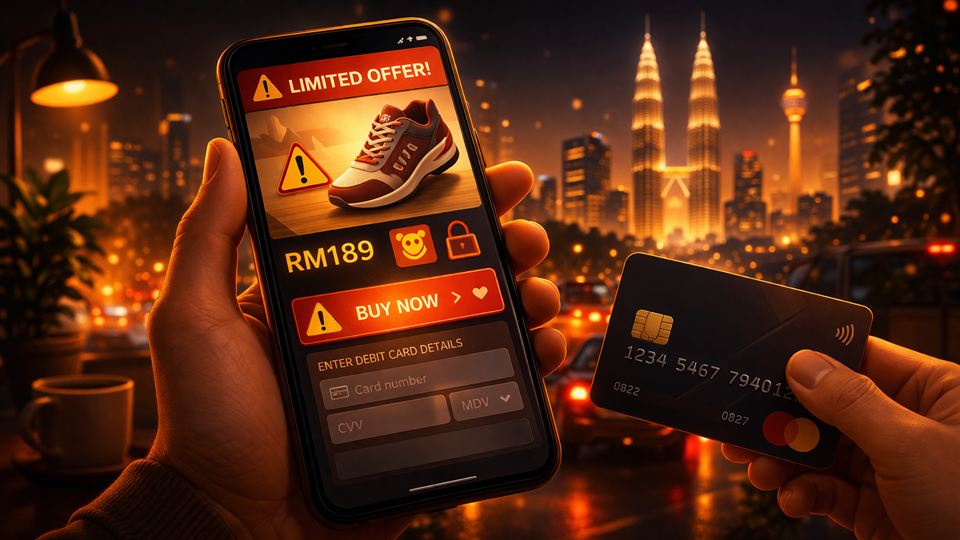
PSA: I got "scammed" by a Facebook ad. Don't be like me.
I want to share this because I learned it the hard way, and because I do not want other people to repeat the same mistake.
I clicked an attractive Facebook ad, bought an item from what looked like a normal online store, then later realised the website was actually very sketchy.
The scary part was this: the money did not start flying out immediately. The next day, unauthorised charges started appearing.
Small amounts first, then a few more times after that. Eventually, my bank deactivated my debit card for safety.
Since then, taubat already. I changed how I shop online.
What happened exactly?
The ad looked legit, wey. Nice photos, convincing promo, and that limited-time-discount pressure that makes you feel like you must decide now.
The checkout flow also looked normal, so I just bayar.
Only later I noticed the red flags: weak contact details, weird confirmation flow, and almost no proper trust signals. By that point, my card details had already been exposed to a merchant I should not have trusted.
Why this is dangerous online
When we shop online, the transaction happens remotely. Your physical card is not there in front of the seller. In payments, this is commonly called a card-not-present transaction.
That convenience is exactly why the risk can be higher too. Everything is fast, remote, and easy to approve when you are tired, rushing, or too attracted by a deal.
In my case, the ad looked polished enough that I lowered my guard.
The setting that helped me most
The biggest practical change for me was inside my banking app.
I now keep online card transactions disabled by default. I only enable them for the short time when I am actually making a payment, then I turn them off again after the payment is completed.
Different banks label this differently. You may see "online transactions", "e-commerce", "card-not-present", or something similar inside your card controls.
This may feel a bit leceh, and it is not ideal if you rely on auto-billing for things like Netflix, Spotify, telco, or insurance. But for me, it created one extra safety step before any online card payment goes through.
If you do not want to keep turning it on and off, then at least set a small daily online card limit. That way, if something goes wrong, the damage is more contained.
Card controls worth checking now
Many Malaysian banking apps offer some version of these controls, depending on the bank and card type:
- lower your online transaction limit
- disable overseas card usage unless you really need it
- enable instant transaction alerts
- lock or freeze the card quickly from the app if something looks wrong
- use a virtual card for online shopping if your bank supports it
Do not assume every bank has the exact same menu or wording. The point is to reduce exposure and make suspicious activity easier to spot early.
What I do now before paying any new website
My quick checklist is quite simple now:
- check whether the website looks consistent, complete, and not half-broken
- verify business details and contact info
- search for independent reviews outside the ad platform
- be extra careful if the site keeps pushing urgency everywhere
- if the price looks too good to be true, pause first
- if I am transferring money or dealing with a suspicious seller, I check
Semak Mulefirst [1]
Not perfect, but definitely better than blindly trusting an ad because the creative looked nice.
If you already kena
If you realise you have been scammed or you just made a suspicious payment, act fast.
Call 997, the National Scam Response Centre, as soon as possible. PDRM says NSRC operates 24/7, including public holidays, and the faster you call, the better the chance of stopping the money flow [2]. There is also repeated guidance to act within 24 hours where possible [3].
Then call your bank immediately so they can block, freeze, or replace the affected card and guide you on the next steps. If the scam involved a transfer, keep your payment records, screenshots, and order details ready.
My personal rule now
I no longer assume an attractive ad equals a trustworthy seller.
Ads are paid visibility, not proof that the seller is legitimate.
Now I assume neutral first, verify second, and only then I pay.
Final reminder
Scams in Malaysia are getting more polished, especially on social media ads and fake-looking storefronts.
So please do not feel paiseh if you got tricked before. Smart people kena too. What matters is whether you tighten your process after that.
Protecting your savings is not about being paranoid. It is about having a better system.
Sources
[1] Royal Malaysia Police, Semak Mule: https://semakmule.rmp.gov.my
[2] Royal Malaysia Police, NSRC 997: Talian Harapan Mangsa 'Scam': https://www.rmp.gov.my/laman-utama/peringatan/alert-peringatan/2026/03/01/besmartstayalert-letsfightscammertogether-postings-pilihan-nsrc-997-talian-harapan-mangsa-%27scam%27
[3] Royal Malaysia Police / MKN guidance on calling NSRC quickly after a scam: https://www.mkn.gov.my/web/ms/2024/05/14/waspada-panggilan-daripada-nsrc/